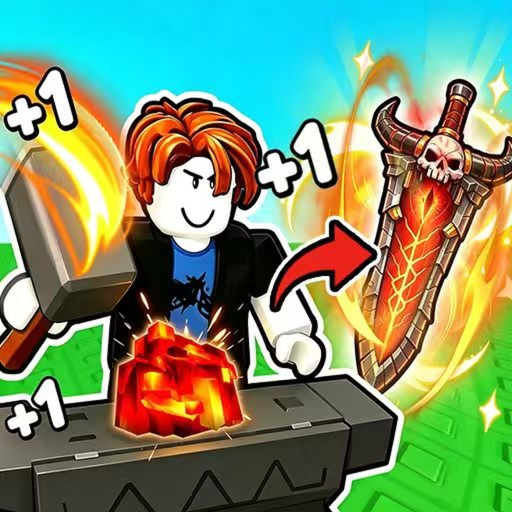
Enhance +1 Loot To Forge Power Guide
Use this Enhance +1 Loot To Forge power guide to explain what Power does and how it connects training to enemy clears and gear progression.
This Enhance +1 Loot To Forge power guide answers one practical player decision: explain what Power does and how it connects training to enemy clears and gear progression. Start from the known Power–combat–ore–forge loop, keep changing values in the live interface, and finish with an outcome you can actually observe.
Connect clicking to dungeon progress
Power is built by clicking and supports progression against enemy hordes. Higher multiplier training zones increase Power gained per click, so the practical loop is to train in the best reachable zone, test the next dungeon stage, and return only when damage stalls.
Use the approved current-game video below to recognize the relevant interface, stage, or equipment context. Watch for the specific action discussed here, then verify it on your own account; footage is useful orientation, while the current game remains the authority for a changing requirement or value.
A good comparison changes one decision at a time. Keep the dungeon stage, equipped baseline, and immediate goal stable whenever possible. If training, gear, route, and resource use all change together, a win cannot explain which choice helped and a loss cannot show what to repair.
Read training choices by output
Use the checkpoints below as a decision tool. Each row connects a current-game subject to an action and a visible conclusion; it does not fill gaps with hidden rates, invented prices, or mechanics copied from another Roblox experience.
| Checkpoint | What to inspect | How to act |
|---|---|---|
| Training zone | Use the highest reachable multiplier | Improve Power gained per click |
| Manual clicking | Use a focused active session | Stop at a named dungeon retest |
| Auto-training area | Use the documented automatic method | Verify the resulting Power before combat |
| Dungeon test | Replay the same stage | Keep training only if damage remains the first wall |
Keep shared conditions outside the table: use the same current build, record what the account can reach, and compare the same stage or panel before and after the change. Exact values deserve a date and visible context; without both, treat them as live checks rather than permanent rules.
Retest before overtraining
Follow this page-specific workflow in order:
- Record the current Power and the highest reachable training multiplier.
- Train under one stable method instead of switching zones constantly.
- Choose one numbered dungeon stage as the damage checkpoint.
- Retest that stage with the same equipment and observe the first combat wall.
- Continue training only when damage, not survival or gear, is still the limiting factor.
The final observation is the important part. Improvement should solve a named problem: an enemy falls sooner, the player survives the same stage, a carried material reaches the hub, a Forge result is equipped, or a claimed reward appears. If nothing observable changes, preserve remaining resources and revisit the diagnosis before repeating the spend.
Use Power as one part of the loop
Continue only while the action still serves the next progression objective. Change course when the live interface contradicts the assumption, the same failure repeats after one controlled retry, or the cost removes resources needed for a more important step. More clicks, crafts, or stage attempts are not automatically better once they stop changing the checkpoint.
A useful stopping rule leaves the account easier to understand than before. Record the stage or screen, the change made, and the result. That short note prevents a later update, an old video, or a lucky run from becoming an unsupported universal claim.
For the current experience and live interface, open Enhance +1 Loot To Forge on Roblox.
FAQ
What should I verify first for power guide?
Verify the current in-game label, requirement, equipped state, and result attached to the decision. Use the documented game loop as the anchor, but read any changing cost, rate, recipe, or availability from the live account.
When should I stop this plan?
Stop when the promised result is visible, the same failure repeats after one controlled change, or the live interface shows a different rule. Bank remaining resources and choose the next bottleneck instead of defending the first guess.